

As a supplier of 200G QSFP56 FR4 transceivers, I understand the importance of maintaining these high - performance optical modules. The 200G QSFP56 FR4 is a crucial component in modern data centers and high - speed communication networks, with its ability to support 200 gigabit data transfer rates over short distances. However, proper cleaning is essential to ensure its optimal performance and longevity. In this blog, I will guide you through the process of cleaning a 200G QSFP56 FR4.
Why Cleaning is Necessary
The 200G QSFP56 FR4 operates in a high - demand environment where even the smallest contaminants can cause significant issues. Dust, dirt, and oil from fingers or the surrounding air can accumulate on the optical ports of the transceiver. These contaminants can lead to increased insertion loss, reflection, and signal degradation. As a result, the data transmission quality may decline, leading to data errors and even connection failures. Regular cleaning can prevent these problems, ensuring stable and efficient operation of the transceiver.
Preparation before Cleaning
Before you start cleaning the 200G QSFP56 FR4, there are several preparatory steps you need to take:
- Turn off the equipment: Safety is the top priority. Make sure to power off the device where the 200G QSFP56 FR4 is installed. This not only protects you from potential electrical hazards but also prevents any damage to the transceiver during the cleaning process.
- Gather cleaning tools: You will need a few specific tools for cleaning the 200G QSFP56 FR4. These include lint - free cleaning wipes, isopropyl alcohol (with a purity of at least 90%), and a fiber optic cleaning pen. The lint - free wipes are used to remove large particles, while the isopropyl alcohol helps to dissolve and remove stubborn contaminants. The fiber optic cleaning pen is ideal for cleaning the delicate optical connectors.
- Prepare a clean workspace: Find a clean, static - free environment to perform the cleaning. A cleanroom or a well - ventilated area away from heavy dust sources is perfect. You can also use an anti - static mat to prevent static electricity from damaging the transceiver.
Cleaning the 200G QSFP56 FR4
External Cleaning
- Remove the transceiver: Gently pull the 200G QSFP56 FR4 out of the host device. Be careful not to apply excessive force to avoid damaging the connector or the module itself.
- Wipe the exterior: Use a lint - free wipe slightly dampened with isopropyl alcohol to clean the exterior of the transceiver. Pay special attention to the corners and edges where dust and dirt may accumulate. Move the wipe in a gentle, circular motion to ensure thorough cleaning. Avoid applying too much pressure that could scratch the surface of the module.
Cleaning the Optical Connector
- Inspect the connector: Before cleaning, use a fiber optic microscope to inspect the optical connector of the 200G QSFP56 FR4. Look for any visible contaminants such as dust, scratches, or debris. This step helps you to determine the level of cleaning required.
- Dry cleaning with a fiber optic cleaning pen: If the contamination is relatively light, you can start with dry cleaning using a fiber optic cleaning pen. Hold the pen perpendicular to the connector end - face and press it gently. Rotate the pen in a circular motion for a few seconds to remove loose particles.
- Wet cleaning: For more stubborn contaminants, wet cleaning is necessary. Moisten a lint - free wipe with a small amount of isopropyl alcohol. Do not soak the wipe; it should be just damp. Gently wipe the optical connector end - face in a single, straight motion from one side to the other. Avoid back - and - forth wiping, as it may spread the contaminants.
- Final inspection: After cleaning, use the fiber optic microscope again to inspect the connector. Make sure that all contaminants have been removed and the connector end - face is clean. If there are still some contaminants, repeat the cleaning process until the connector is completely clean.
Reinstallation and Testing
Once the 200G QSFP56 FR4 is clean, you can reinstall it into the host device. Ensure that the transceiver is properly aligned and firmly inserted into the slot. Then, power on the device and perform a system test to check the data transmission performance. Monitor the link status, data rate, and error rate to confirm that the cleaning has been successful.
Comparison with Other Related Transceivers
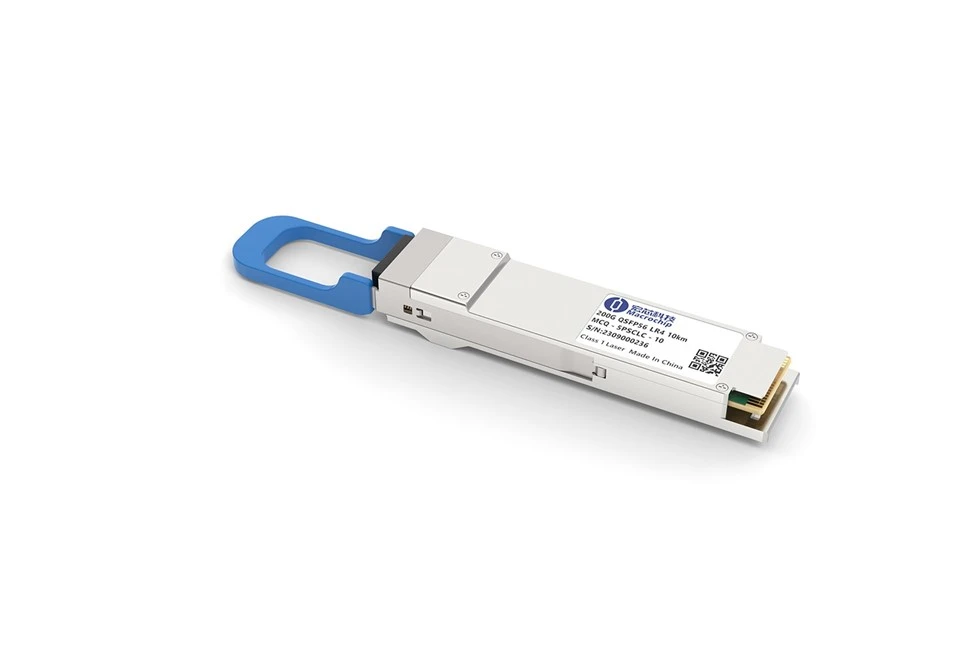
It's also useful to compare the 200G QSFP56 FR4 with other related transceivers such as the 200G QSFP56 LR4. While the cleaning process for these transceivers is generally similar, the 200G QSFP56 LR4 is designed for longer - distance transmission. The optical components in the LR4 may be more sensitive to contaminants due to the higher requirements for signal quality over long distances. Therefore, more meticulous cleaning and inspection may be required for the LR4.
The Optical Module Single Mode also has its own characteristics. Single - mode optical modules are often used in applications where high - speed, long - distance communication is needed. Cleaning these modules requires extra care to avoid any damage to the single - mode fibers, which are very delicate.
In general, the 200G Transceiver series shares many similarities in terms of cleaning procedures, but specific differences may exist depending on their application scenarios and design features.

Conclusion
Proper cleaning of the 200G QSFP56 FR4 is a critical task that can significantly improve the performance and lifespan of the transceiver. By following the steps outlined in this blog, you can effectively clean the module and ensure its reliable operation. If you have any further questions about cleaning or using 200G QSFP56 FR4 transceivers, or if you are interested in purchasing our high - quality products, feel free to contact us for procurement and negotiation. We are committed to providing you with the best solutions and products in the field of optical transceivers.
References
- "Fiber Optic Installation and Troubleshooting Handbook" by Charles K. Schulz.
- Industry standards and guidelines related to the cleaning and maintenance of optical transceivers.